
Great news for retail store owners! How about free software for you to manage your retail business? From managing inventory, stocks, invoices, vendors, customer orders all the way to viewing reports which are related to your day-to-day retail business.
This retail management software that I’m about to introduce is great for any small businesses or non-profit organizations who are involved in:
- Online business
- Consulting business
- Mini and supermarkets
- Grocery stores
- Schools that also sells merchandise
- Accessories stores
Basically, as long as you carry multiple types of products obtained from various vendors and suppliers and the products are eventually sold to potential customers, this software will benefit your business.
This software is also great for the purpose of short-term selling for the purpose of roadshows, events, tradeshows, and exhibitions.
A friend once asked me to develop software for him to manage his roadshow which lasts for only 3 days. During the 3 days, many transactions will take place and the most painful part is, at the end of the day, he will need to spend hours counting the remaining stocks and cash in hand for the day. I developed the software for him, however, it was not fully delivered because I got stuck when developing the invoice screen. If I had known of this software then, it would have been a lot easier as it is capable of generating invoices on the fly as well as automatically reducing the stock count. Since the software does not require a high spec machine to run on, it can easily be installed on a laptop specifically for the event.
Having said so, I’m sure I have generated much interest among your readers. So what’s the software called?
The software that I’m referring to is called Inflow Inventory On-Premise.

With Inflow Inventory, you can:
- Manage customer details
- Manage vendor details
- Manage products and services
- Process orders
- Reorder stocks
- Generate invoices
- Track inventory
- View business reports
- Manage sales taxes
Installing the software is really simple. All you do is download the software for free and install it by simply executing the inflow_setup.exe file. It should install on your machine without any problems, but if there are any, you can always check out the forum and knowledgebase for additional help.
I have installed it and was indeed impressed with the software especially since we can all use it for free.
Once you start the app, you can see all the functions that you can do with it. I’ll take you through the software the retail process way. The images below are screenshots taken from the Inflow Inventory.
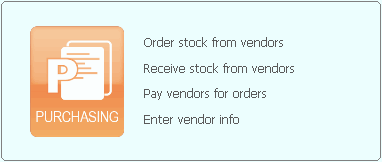
For all retail businesses, the starting point is to order your stock from the vendors. Once you have received the stock you can update the system. Payments for the orders can also be recorded provided you have entered the vendor details prior.
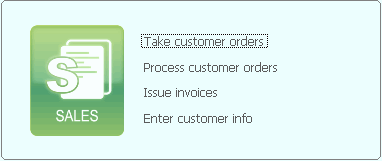
Once all your stock is in place, you can begin selling to your customers and processing the orders. Once an item is sold you can immediately generate and issue an invoice to the customer.
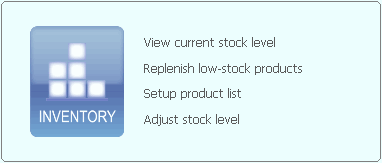
At the end of the day or the week, depending on how active your retail business is, you can view the current stock level and replenish any products which are low in stock. By utilizing this system, you no longer need to tell your customers, sorry we’re out of stock!
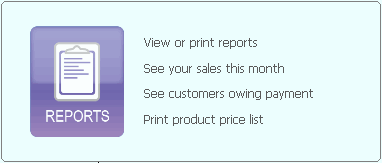
At the end of the month, you can view the various reports which will tell you and your investors how well your business has been doing.
inFlow On-Premise is available in three editions namely Free, Regular, and Premium.
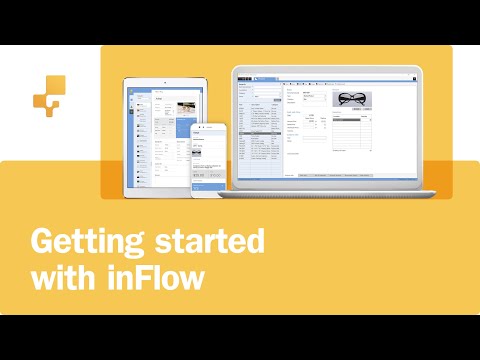
In case you’re wondering what’s the limitation of this free software, you can only have a combined total number of one hundred customers and products. There is a small cost to disable this limitation. Find out more about it on their website and video below.



i want to try your software
Hi Daniel,
To try the software, head on over to http://www.inflowinventory.com/ and download the software for free.
Give it a try, I’m sure you’ll love it.
By the way, this software does not belong to me in any way. I just find the software useful and valuable which is why it’s worth mentioning to my readers. Hope it helps you as much as it helped me.
Thanks for dropping by and leaving a message.
I WOULD LIKE TO MANAGE OUR STORE
hi,plz how i install free softwear for shop stock countiong .now i read hear all you subject but i could not find downlood,thnks
Dear warisdanish,
This is the link to the download. http://www.inflowinventory.com/software-after-download.aspx
Hope it works.
Hello,
Does this software allow me to import the products from my old POS program by CSV file?
Thanks for letting me know.
Regards
Gabriela
Hi sorry – just got myself the information
-> http://www.inflowinventory.com/KnowledgeBase/questions/14/Import+Data+into+inFlow
I will try this out!!
Thanks a lot
Gabriela
i want shop management software
I’m looking for best practices around developing a supply chain that provides IT procurement from multiple OEMs across 23 offices in LATAM and Western Europe. I’m looking for resources but I’m wondering if firms who specialize in this kind of work is a better way to go – I’ve only found this on it so far http://global-serve.com/Services/SupplyChainDevelopmentServices/tabid/71/Default.aspx
iya kaya nya bagus tapi tolong kirim saya, ini bagus buat kemajuan ekonomi semuanya
Can anybody tell me How to install this software on the D partition of the hard drive ant not C
Helo guys,
HOW DO U BUY THIS SOFTWARE.
I GIVE 1 million dollars!
hi ,
any one tell me about Is this free to use.without ant registration……..?
Send me procedure to download this software for my retail store.
where is the procedure of downloading this powerful software
Hi,
You can download the Free Edition of inFlow Inventory on our website:
http://www.inflowinventory.com/
We also have a Support Forum and Knowledge Base if you have more questions:
http://www.inflowinventory.com/software-support.aspx
Hope this helps!
Cheers,
-inFlow staff
THIS ONE IS GOOD SOFTWARE